
On-Device AI vs Cloud AI: What I Built Taught Me
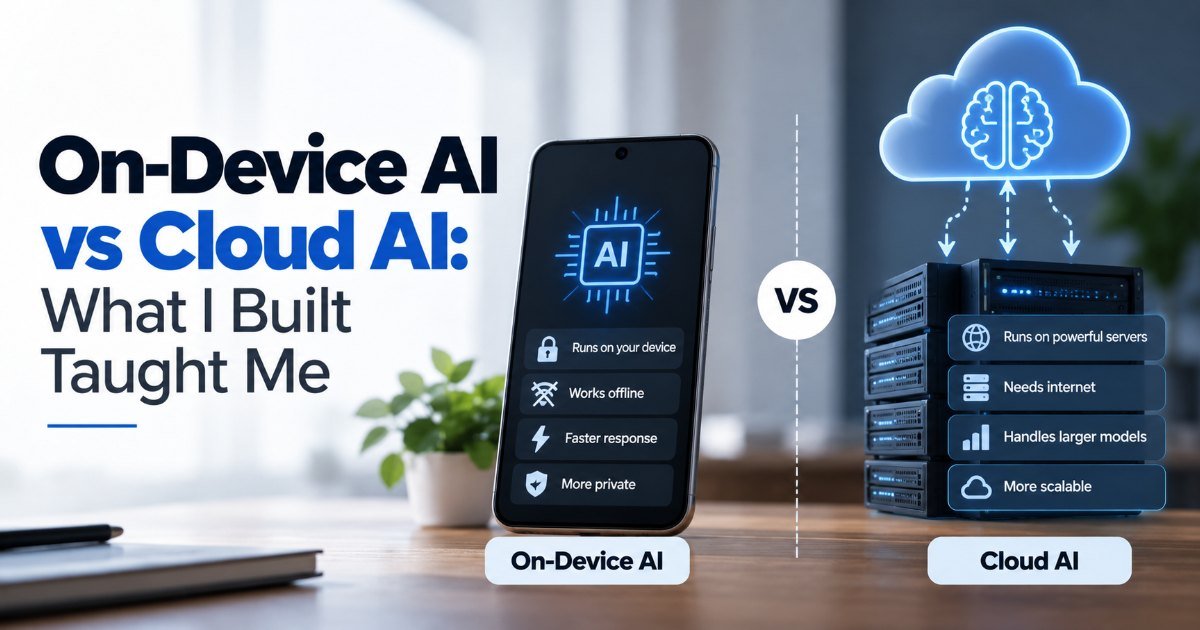
Imagine this. You're on a train through the Orkneys, zero bars of signal, and your notes app just summarized your week in seconds. No spinning wheel. No "retry" button. That's the promise of on-device AI — and I finally tested it for real last month.
I built a small note-taking tool with AI summarization. The catch? It had to work offline, on a MacBook Air, and process a month's worth of meeting notes without melting the battery. So I faced the on-device AI vs cloud AI decision everyone talks about: run the model locally, or pipe everything to the cloud.
Here's what actually happened.
Where On-Device AI Wins
Running models locally has three quiet superpowers that don't show up in benchmark charts.
First, privacy. Your notes never leave the machine. With cloud AI, they hit someone's server, get logged, maybe get used to train someone else's model. (I'm not being paranoid — the terms of service for most cloud AI tools say exactly this.) If you're handling client work, medical notes, or anything sensitive, this isn't a nice-to-have. It's the whole game. The AI privacy trade-offs here are real, and most people underestimate them.
Second, latency. A good local model on an M-series chip responds in milliseconds. The cloud adds network round-trips, and on a bad connection that's seconds per request. When you're iterating — asking it to re-summarize, rephrase, make it shorter — those seconds add up fast.
Third, cost at scale. Cloud AI charges per token. Local AI charges once, in hardware you already own. If you're processing thousands of documents a month, the math gets ugly fast for cloud.
The Cloud AI Trade-offs You Can't Ignore
But here's the thing. Local models aren't magic. They're smaller, and smaller means dumber.
I ran the same batch of notes through both. The cloud model — GPT-4 class — caught nuances the local one missed. It understood that "Q3 deadline moved up" was a risk flag, not just a scheduling note. The local model gave me a competent but generic summary. Good enough? Sure. Great? No.
And that's the real trade-off: quality versus control.
Cloud models also update constantly. New knowledge, new capabilities, no install needed. Your local model is frozen at whatever you downloaded last month. I had to re-download a newer quantized version twice just to keep up.
Local AI Performance: What the Benchmarks Don't Tell You
Here's a number that surprised me. A quantized 7B model on an M2 MacBook Air runs at about 25 tokens per second — fast enough for real-time typing suggestions. The same model in the cloud, on a good connection, might hit 50 tokens per second but add 200ms of latency per request.
The gap isn't as wide as you'd think. For everyday tasks — summarizing, rephrasing, drafting — local performance is absolutely usable. It's the edge AI vs cloud AI debate in miniature: both work, they just work differently.
The Middle Ground Most People Miss
Here's what I actually ended up doing — and I think this is where most products will land.
Hybrid. Use the local model for the fast, private stuff: real-time suggestions, offline summaries, quick rewrites. Send only the hard cases to the cloud: the long documents, the nuanced analysis, the questions that need real reasoning.
My app does exactly this now. Offline? Works great, good-enough quality. Online? Surfs to the cloud for the heavy lifting. The user never sees the switch.
(Yes, this means you need to build for both. It's more work. But it's the honest answer.)
Key Takeaways
- On-device AI is faster offline and keeps your data local — a real win for privacy-sensitive work.
- Cloud AI still produces better results for complex reasoning, simply because the models are bigger.
- The gap is narrowing fast; local models now handle most everyday tasks competently.
- Hybrid architectures give you the best of both, but require more engineering.
- If you're choosing for a product, ask what happens when the network dies — that question alone decides a lot.
Frequently Asked Questions
Is on-device AI worth it in 2026? Yes, if you care about privacy, offline use, or running high volume cheaply. It's especially worth it for mobile apps and embedded devices where connectivity is unreliable. For pure reasoning quality on complex tasks, cloud still leads.
How much slower is local AI compared to cloud? Usually faster, not slower — for simple tasks. A quantized 7B model on an M2 chip generates around 20-40 tokens per second. Cloud adds network latency, so local wins on responsiveness. But local models are smaller, so they struggle with harder problems the cloud solves easily.
What's the main trade-off between on-device and cloud AI? Quality versus control. Cloud gives you bigger, smarter models but sends your data away and costs per use. On-device keeps everything local and cheap, but the models are smaller and less capable. Most real products now blend both.
Can I run AI models locally on a regular laptop? Yes, if it has 8GB+ RAM and a decent processor. Quantized models (4-bit, like llama.cpp builds) run on consumer hardware surprisingly well. You won't run GPT-4-sized models locally, but you can run very usable 7B-13B models on a modern MacBook or Windows laptop.
How did this story feel?
Be the first to react
Written by
TechPulse Team
The TechPulse editorial team publishes clear, practical technology guides. Every article is original and written to be understood — not just skimmed.
Comments (0)
No comments yet — start the conversation!
Keep reading

Why Data Quality Matters More Than the Algorithm
Your model passed every test. The data didn't. Why data quality matters more than the algorithm, with real examples from Tay to retail and healthcare models.

How Chatbots Remember — And the Mistakes You're Making
You're three messages into a chat with an AI assistant. You tell it your dog's name, your goto coffee order, and the deadline for that big project. You close…

Machine Learning Basics Without the Math Panic
You don't need advanced math to understand machine learning. Here are the mistakes most beginners make — and what to focus on instead.